November 9th, 2025
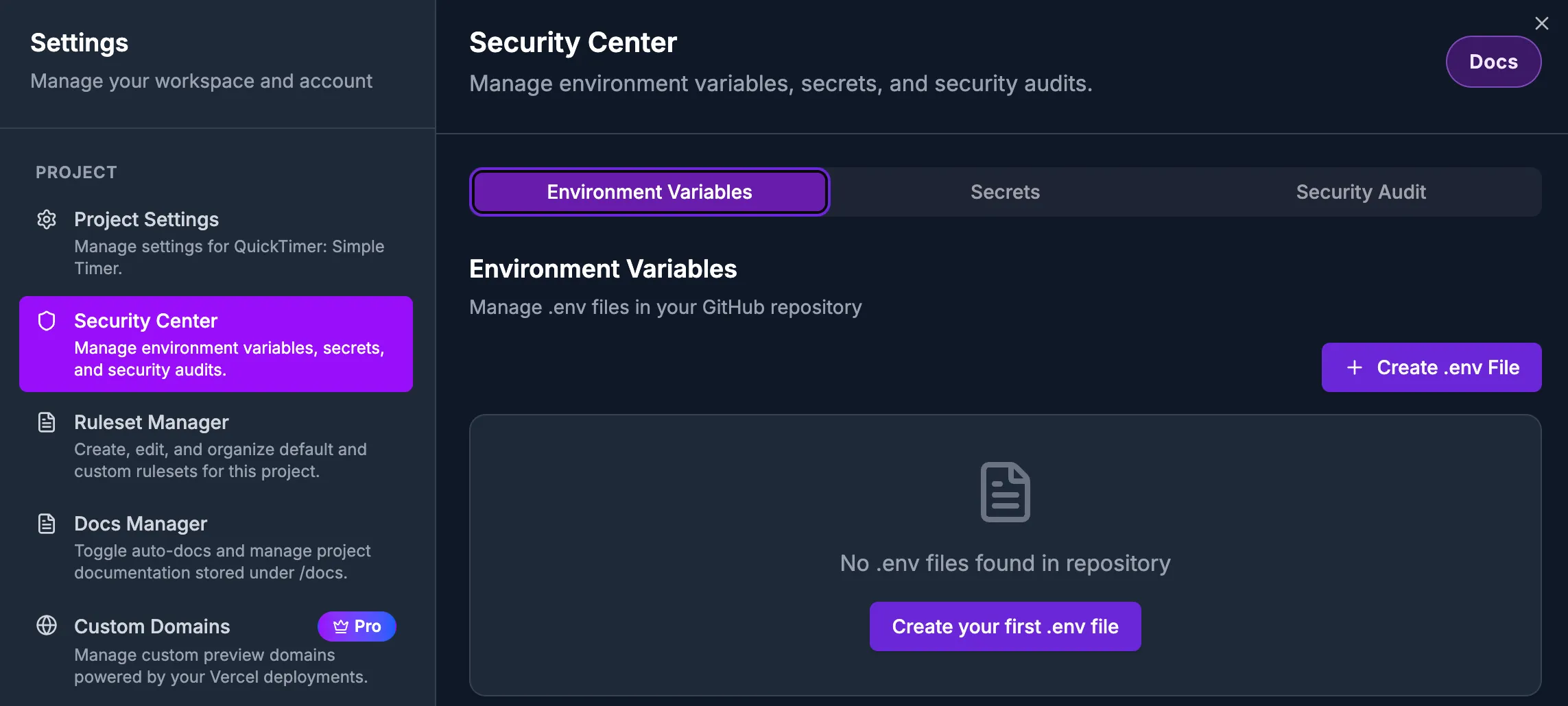
🚀 NEW: Security Center now available in Beta
Security Center - Comprehensive security management for your projects, accessible from project settings. The Security Center provides three powerful tabs to keep your apps secure:
Environment Variables: Create, edit, and delete .env files via App2. Manage environment variables with an intuitive interface, validation for proper naming, and a two-step confirmation process when deleting files to prevent accidents.
Secrets: Manage Supabase secrets provisioned via App2. Keep your sensitive configuration secure and properly organized for production deployments.
Unlink Integrations - You can now disconnect Vercel deployments and Supabase backends from your projects when you no longer need them. Unlinking is safe and reversible - you can always reconnect to the same or different integrations later. Currently in Beta testing, there may be unintended side effects.
✨ Improvements
Easier Settings Navigation - Project settings now feature clickable links throughout. Click repository names to jump to GitHub, click Supabase project names to manage integrations, and click linked App2 projects to view them directly.
Clearer Supabase Organization Display - Supabase organization settings now clearly distinguish between your Supabase projects and which App2 projects are using them, making it easier to understand your integrations at a glance.
Enhanced Integration Status - Vercel and Supabase integration banners now show richer information including when you first linked them, which team or organization they're connected to, and when they last synced. This makes it easier to understand your project's infrastructure at a glance.
Better Error Guidance - When linking Vercel deployments, you'll now receive clear, actionable error messages if the Vercel GitHub App isn't installed, with direct links to installation instructions.
More Reliable Integration Operations - Linking and unlinking integrations is now more stable and prevents issues with concurrent operations. Your projects are temporarily protected during these operations to ensure data consistency.
Automatic Deployment Trigger - When you link a Vercel deployment, we now automatically trigger the first production deployment so you can see your app live immediately.
More Reliable Figma Imports - Enhanced Figma authentication checks now validate your connection status more frequently and verify tokens actually work before starting imports. This prevents failed imports due to expired credentials, ensuring a smoother design-to-code experience.
🐛 Bug Fixes
Fixed issue where successfully linked Supabase projects wouldn't display immediately in project settings
Resolved unnecessary analytics events that occurred when loading Supabase organizations
Fixed duplicate API calls when linking Vercel deployments that could cause conflicts
Fixed page crashes when Vercel GitHub App wasn't installed - now shows helpful error banner instead
Resolved database errors during Vercel project creation
Fixed integration status banners not updating immediately after linking
Fixed Figma import failures caused by expired authentication tokens - imports now validate your Figma connection before starting to prevent mid-import failures